← Elevate Aura  ·  Aura Business, the operations platform Chennai, India · WhatsApp
For accounts teams tired of ringing

WhatsApp payment reminders that go out on a schedule and stop when you are paid.

Aura Business sends outstanding-payment reminders over WhatsApp on the rhythm you set, with the invoice number, amount and due date in the message, and takes a customer off the run the moment their receipt is entered.

Reminders on a schedule you defineInvoice details inside the messageStops automatically once paid
app.elevateaura.co.in/customers
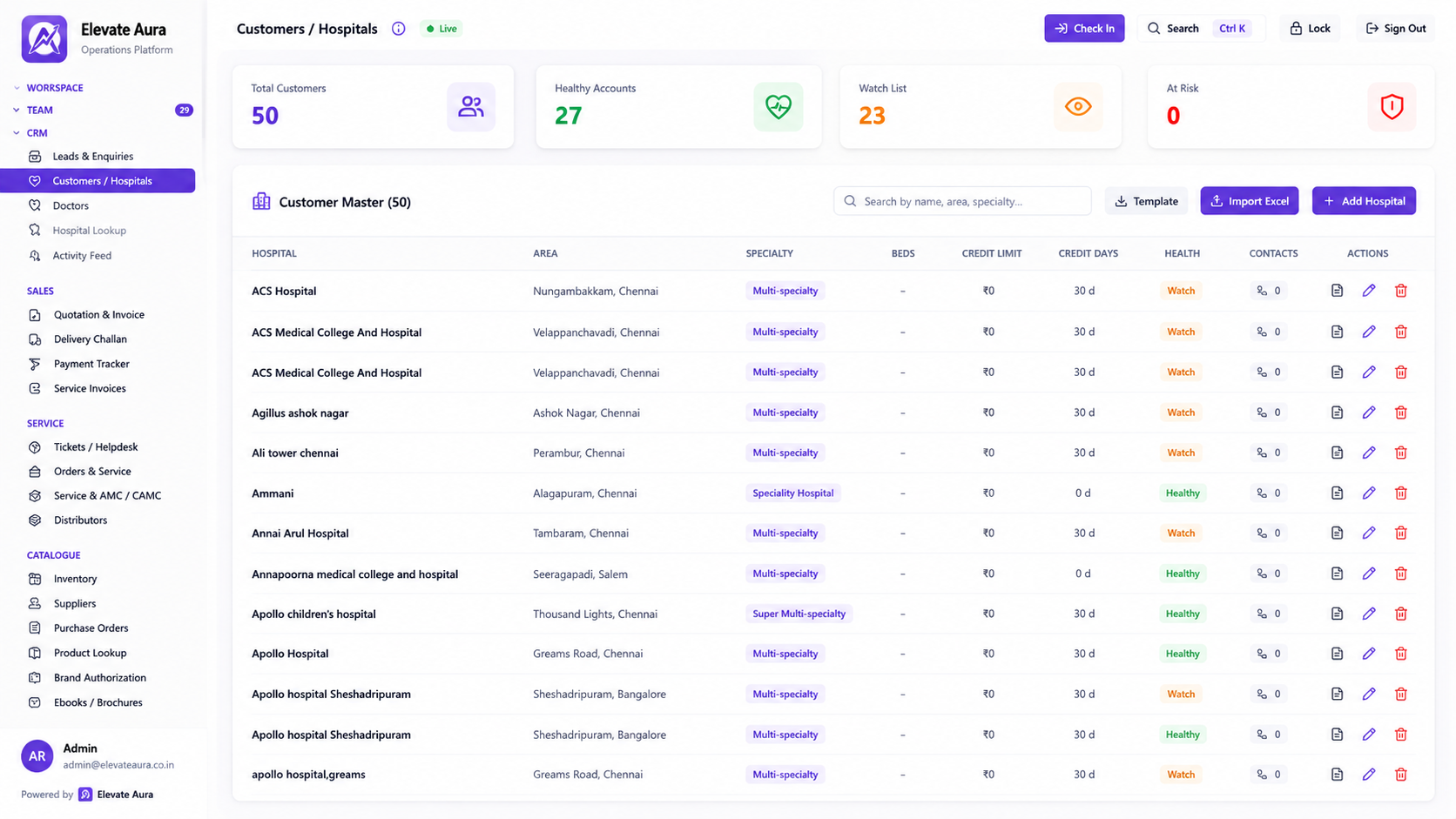
Aura Business customer master screen showing outstanding invoices with WhatsApp reminder status against each customer
In one sentence

What an automated reminder run actually does

A reminder run takes every invoice that is open and due, works out which customers need contacting today under the schedule you set, and sends each one a WhatsApp message with their own invoice number, amount and due date in it. When a receipt is entered against that invoice, the customer drops off the run without anybody having to remember to stop it.

In Aura Business this is the WhatsApp Business integration in the Analytics and Platform suite, driven by the Payment Tracker and the receivables ageing in the Finance suite. It matters because most overdue payments in a distribution business are not refusals. They are invoices sitting unactioned in somebody's approval queue, and a polite message with the reference in it is usually all that moves them.
Why chasing fails

Reminders are boring, repetitive, and the first thing to be skipped.

A person who has to send forty individual messages by hand will send fifteen, and will send them to whoever they remember.

Typed one message at a time

Each reminder is written by hand with the invoice number copied across from another screen.

Messages without a reference

A vague request for payment reaches an accounts department that handles hundreds of invoices and goes nowhere.

Reminders after the money arrived

A customer who paid last week gets chased again and the relationship takes the damage.

No rhythm at all

One reminder goes at ninety days, when nothing goes at seven, fourteen and thirty.

Sent from a personal number

The follow-up history lives on one employee's phone and leaves when they do.

Nobody knows what was sent

Two people chase the same balance and the customer hears two different things.

How the run works

From an unpaid invoice to a stopped reminder.

01

Invoice open

The GST invoice sits unpaid with a due date set by the customer's credit days.

→
02

Schedule applied

Your reminder rhythm decides which day each open invoice is contacted on.

→
03

Message built

Invoice number, amount, due date and your business name filled into the template.

→
04

Sent on WhatsApp

The reminder goes to the contact recorded against that customer account.

→
05

Logged

The send is recorded against the customer so the whole team sees what went out.

→
06

Receipt entered

Payment applied to the invoice and the balance updates in the ageing view.

→
07

Run stops

A settled invoice drops out of the reminder run with no manual action.

What is included

The reminder engine and what it reads from.

📱Sending

  • WhatsApp Business integration
  • Payment tracker with reminders
  • Reminder schedule per stage of overdue
  • Contact per customer account

📝The message

  • Invoice number, amount and due date
  • Your branding and business name
  • Link to the order tracking page
  • Plain language, no attachments required

📊What drives it

  • Receivables ageing buckets
  • Credit days and due dates
  • AMC instalments and service invoices included
  • Distributor payment and UTR confirmation

📋Control

  • Log of every reminder sent
  • Stops when the receipt is applied
  • Customers excluded where a dispute is open
  • Audit trail of who changed a schedule

See all 87 modules across 12 suites →

In practice

Four things that change on the collections desk.

The gentle first nudge actually happens

Workflow: A reminder goes out a few days after the due date with the invoice reference, before anybody has to ring.

Result: Many invoices clear before they ever become a phone call.

The message reaches the right desk

Workflow: The reminder carries the invoice number, so the hospital's accounts team can locate it without ringing back for details.

Result: The approval queue moves.

A paid customer is left alone

Workflow: The receipt is applied in the morning and the afternoon reminder run skips that customer.

Result: No apologetic follow-up call.

The team sees one history

Workflow: Every reminder sent is logged against the customer alongside the ageing and the follow-up notes.

Result: Two people never chase the same balance twice.

Who it is for

Anyone whose invoices are paid late as a matter of routine.

🏥
Medical equipment distributors

Hospital accounts departments with long approval chains.

🔬
Consumables dealers

Many small invoices per customer per month.

🏭
Importers with dealer networks

Sub-dealers paying against credit limits.

🛠
Service companies

Contract instalments and job invoices both chased.

⚙
Industrial and electrical trade

Site billing that ages quietly.

The honest comparison

Manual messages, statements by email, or a reminder run.

 
Spreadsheets and WhatsApp
Accounting software
Aura Business
How reminders are sent
Typed by a person
Email statement
Automated WhatsApp on a schedule
Invoice details in the message
Copied by hand
Attached statement
Filled from the invoice record
Stops when paid
Only if noticed
Next statement
Automatically, on receipt entry
Who the message comes from
A personal number
An email alias
Your business account
History of what was sent
One person's phone
Sent items
Logged against the customer record
Linked to ageing
No
Report only
Driven by the ageing buckets
Proof

Platforms we have actually shipped.

Questions

WhatsApp payment reminders, answered.

What does the reminder message say?

A short, plain message naming your business, the invoice number, the amount outstanding and the due date, with a request to confirm payment. The wording is set up for you during onboarding and is not written fresh each time.

Will a customer who has paid still be chased?

No. Reminders are driven by the open balance, so once the receipt is applied against the invoice the customer leaves the run. This is why applying receipts promptly matters more than the reminders themselves.

How often are reminders sent?

On the schedule you choose, typically a light first reminder shortly after the due date and firmer ones as the balance ages. Different schedules can be used for different kinds of customers.

Can we stop reminders for one customer?

Yes. A customer or a single invoice can be excluded, which is what you want when a dispute is open or a payment plan has been agreed, and the exclusion is recorded.

Does this need WhatsApp Business?

Messages are sent through the WhatsApp Business integration so they come from your business account rather than a personal number. The account setup is done with you during implementation.

Are AMC instalments reminded as well?

Yes. Any open invoice can enter the run, including contract instalments and service invoices. See receivables ageing for how the chase list is ordered.

Keep exploring

Related Aura Business software

Let's talk about your requirement.

Tell us how you work today. We will show you what the platform would look like for you, and give you a clear scope and timeline.

Founder-led · Chennai, India · Built and supported by the person who wrote it